Download your file via Solvio
Your file , containing personal information, conversation records, and documents captured during your support, is stored in Solvio . You may wish to keep this information for your own use or share it with a care provider. Therefore, you can download a copy of your file.
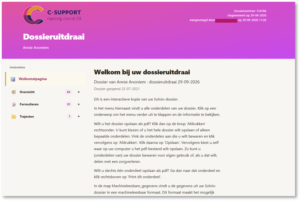
Download your file by November 13.
You can download your file via Solvio up to and including November 13. After that, the file will no longer be accessible and will be carefully deleted.
The steps for downloading are as follows:
- Step 1: Log in Solvio
Problems logging in
Have you forgotten your username? Or has your password expired? Click on 'I can no longer log in' and enter the email address with which you are registered with C-support. You will receive an email (also check junk mail/spam); follow the steps to create new login credentials. Use your new login credentials to log in.
If you have not activated your Solvio account previously, you need an activation link. We can send this to you by email. Please contact us for this.
- Step 2: Create a file printout
This may take some time. You do not need to wait for this or click 'start file printout' again. You will receive an email as soon as the copy of your file is ready for you. Then return to Solvio for the next steps:
- Step 3: Download your file printout
- Step 4: Unpack your file printout
- Step 5: Your own interactive file
Saving (parts of) your file as a PDF is optional. By unzipping the zip file, you already have the file on your own computer.
We have listed the steps for you as best as possible:
Explanation video step 1 & step 2
Explanation video step 3, step 4 & step 5

Having trouble? We are here to help. Contact us at dossier@c-support.nu or call 073 4400 440.
We can be reached by phone Monday through Thursday from 09:30 to 12:30 and from 13:30 to 16:30, and on Friday morning from 09:30 to 12:30.
Important to know
- Do you have contact with an advisor in the coming period, or are you expecting a personal overview? If so, it is best to download your file afterwards. This way, you can be sure that your file is complete. As of November 1st, no new information will be added to files.
- It is possible that many patients are trying to download their records at the same time. Generating your record printout may therefore take longer. You will receive an email when your record printout is ready. You do not need to wait for this; you can close Solvio. Are you receiving an error message or can the page not be loaded? Please try again later.
Frequently asked questions
It is possible that you have forgotten your password or that your Solvio password no longer works after a period of time. Due to security policy, Solvio requests that you create a new password after a period of inactivity of 6 months. In both cases, you can create a new password by taking the following steps:
- Go to the Solvio login page and click on the link 'I can no longer log in'.
- Enter your username or email address and click 'Submit'.
- You will receive an email that will allow you to reset your account.
Your file contains your personal details (such as name , address, and date of birth ). In addition, our aftercare advisors, medical advisors, and occupational experts and legal experts have recorded in the file what was discussed with you (meeting minutes) . You were also able to ask us a question via Solvio ; these messages are also part of your file. Just like the documents added by us, as well as documents that you uploaded yourself.
The copy of your file is a clickable file containing all items from your So l vio file . This allows you to keep all information to yourself, but also choose to share parts of your file with a healthcare provider , such as your GP or a specialist . View the manual here for more information.
We advise against downloading the file on a mobile phone or tablet. The Solvio program and downloading the file work best on a computer or laptop.
If you are unable to download your file yourself and there is no close relative who can assist you, please contact us using the contact details provided . We will review the options available in your situation together.
No, patients downloading their records themselves is the safest and most careful way to make medical and personal data available. This minimizes the risk of personal data unintentionally ending up with the wrong person. At the same time, we realize that this is not easy for every patient. Therefore, we offer various forms of support, such as the manual , explanatory videos , and frequently asked questions , as well as assistance via telephone and email. A loved one can also help you with this.


